Workflow map
Product screen references
Use these screens when checking the team workflow against the product. They are the user-visible anchors for the workflow, so each one should make the next action and the evidence boundary clear.
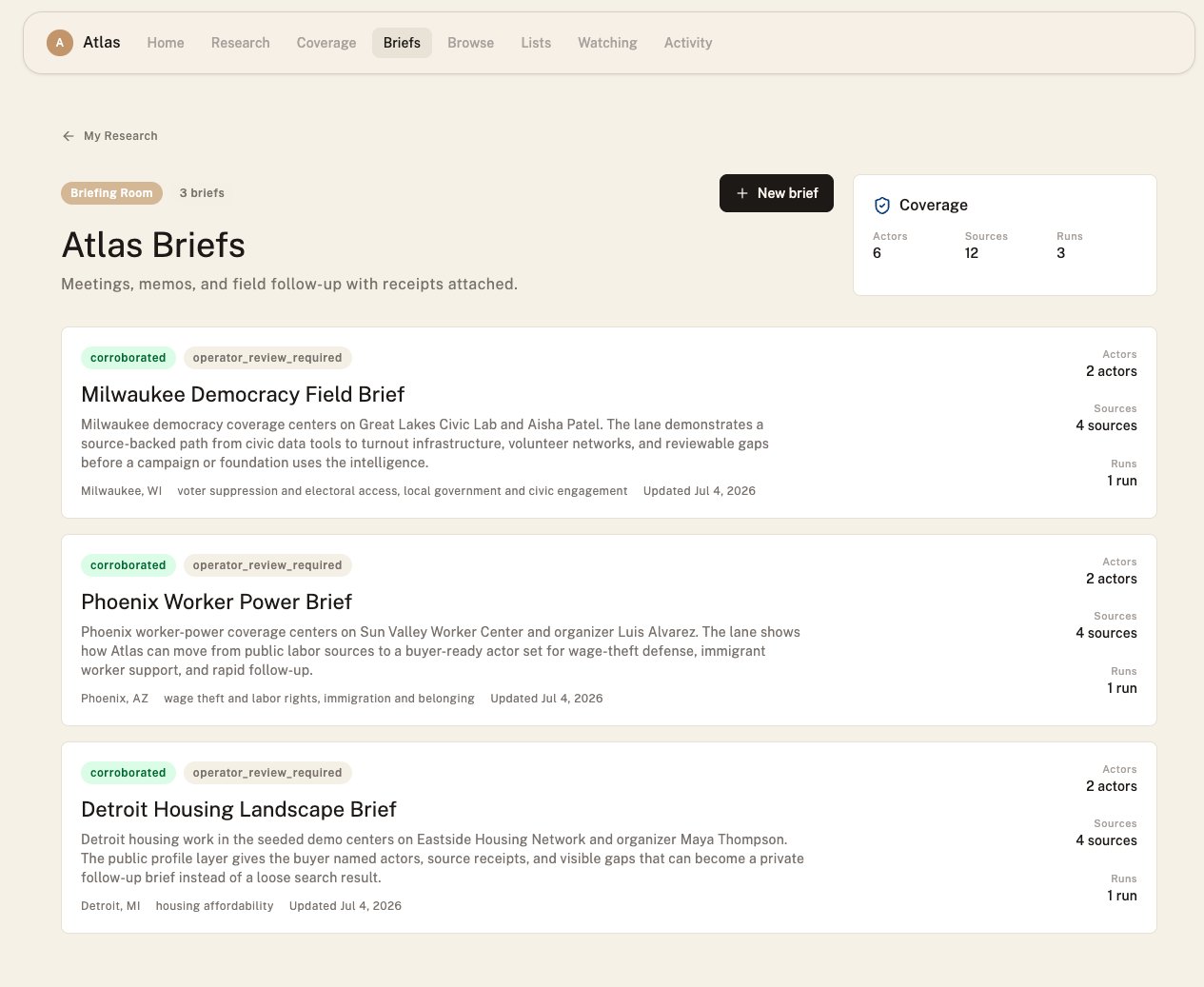
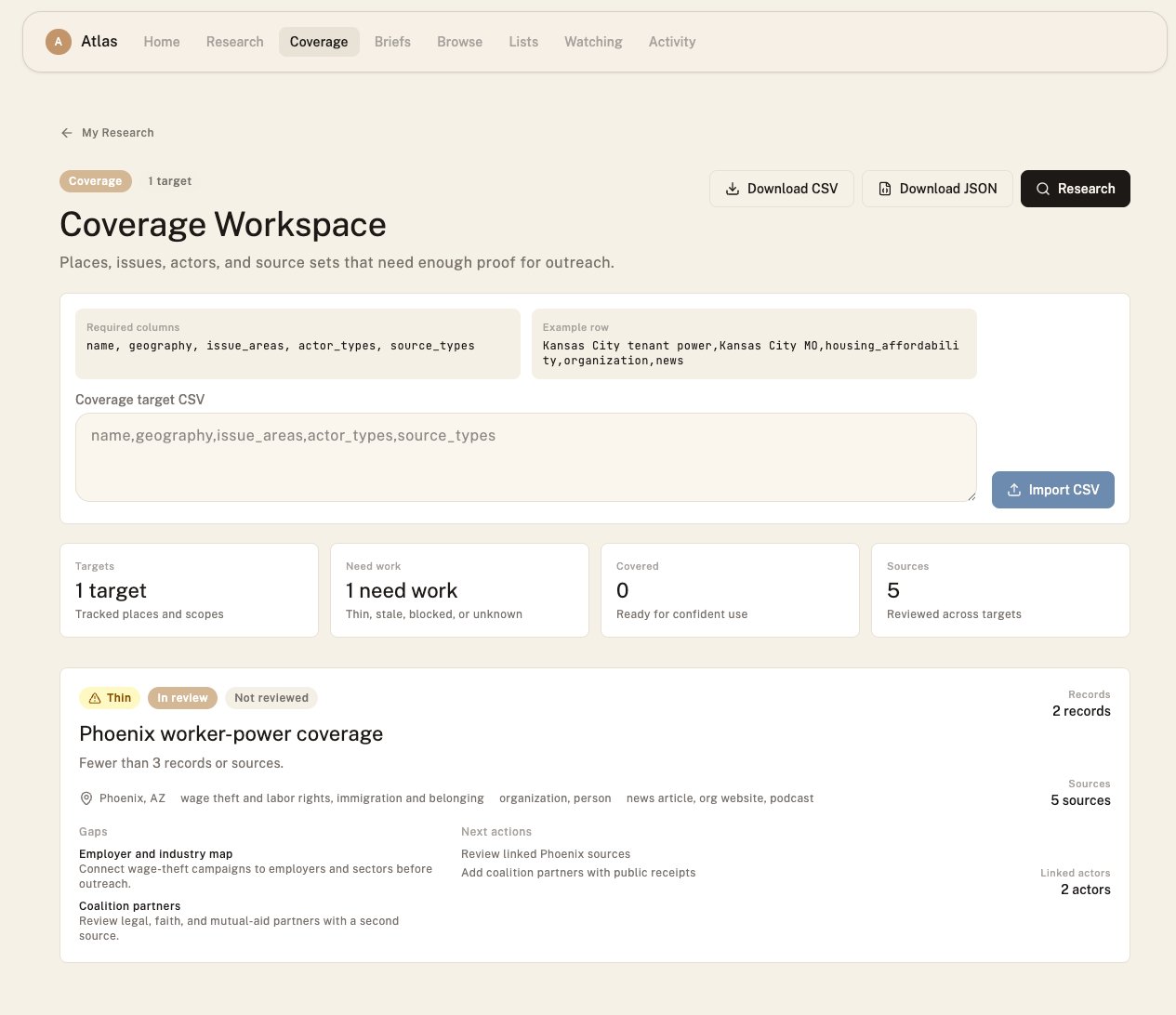
The screenshots below show the briefing room and coverage workspace populated
with local-mode demo data. Use them as the visual baseline for this workflow:
briefs should preserve source counts and confidence state, while coverage should
make gaps, next actions, and linked evidence counts visible.
Task 1: Build a source-linked briefing for Phoenix
1
Start in public discovery
Search for Phoenix and issue terms such as “housing”, “wage theft”, “tenant”,
or “immigrant worker”. Open likely results and inspect their source panels.
2
Save actors into a workspace list
Save organizations, people, initiatives, and campaigns that have enough source
evidence to review as a team. Keep the list focused: the first list should be
a working set, not every possible result.
3
Create a brief
Open the briefing room and create a brief for the Phoenix entry effort. Add
the saved actors, source links, issue context, gaps, and review state.
4
Name the confidence state
Use the brief to distinguish “ready to contact”, “needs source review”,
“single-source lead”, “stale evidence”, and “coverage gap”. A useful brief
shows uncertainty instead of hiding it.
5
Export the evidence
Export the brief when a field team, funder, editor, or partner needs a
portable artifact. The export should preserve the source context, not just
actor names.
Task 2: Track coverage for a new place
Coverage targets turn missing knowledge into an explicit workflow. For the Phoenix example, create targets such as:
Each target should include geography, issue areas, actor types, source types,
review state, gaps, linked discovery runs, and linked entries.
Task 3: Watch actors and coverage targets
Watching is for recurring review. Use it when the team needs to know whether a profile, brief, coverage target, or source-backed issue area has changed. Good watch candidates:- A coalition the team may contact.
- A source-backed profile that needs freshness review.
- A coverage target with gaps that should be revisited.
- A brief that supports repeated field work.
Task 4: Run Scout locally, sync to Atlas, open the run
Scout is useful when a researcher wants a local or scripted discovery workflow before syncing reviewed results into Atlas. Start with reviewing Scout results when the run already exists, or run local discovery when the team needs a new pass.1
Run Scout locally
Run a local Scout discovery for the place and issue set. Keep the raw local
results so the team can inspect what Scout found before syncing.
2
Review what should become visible
Decide which entries should be public, which should remain workspace-private,
and which should be left out until the source evidence is stronger.
3
Sync the run
Use
POST /api/discovery-runs/syncs to send the selected Scout result to
Atlas. The response includes the remote run id, entry visibility receipts, and
links back to the workspace run.4
Open the Atlas run
Open
/discovery?run=<remote_run_id> and review the run in the workspace. Link
the run to a brief or coverage target when it supports a team decision.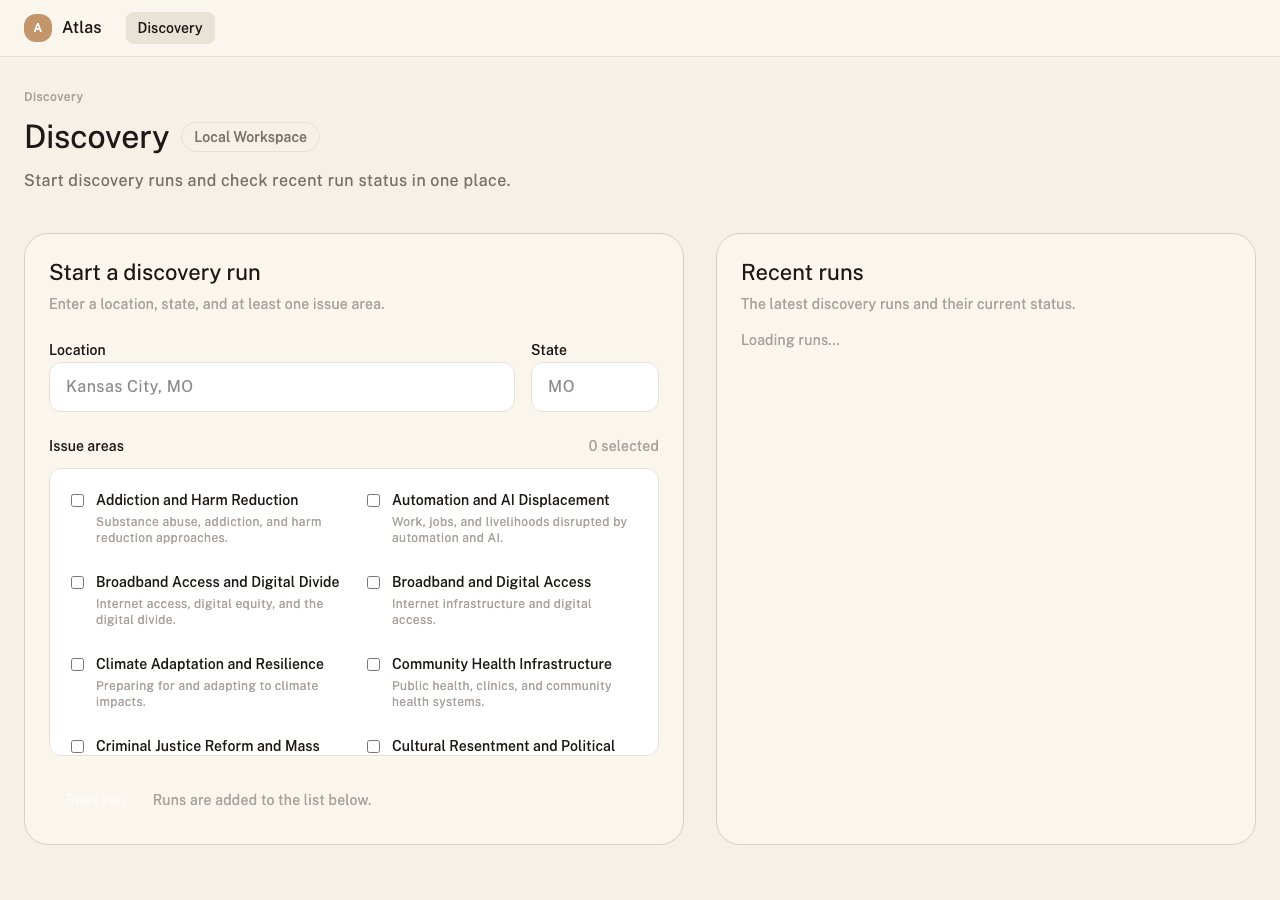
Task 5: Export proof without leaking private context
Proof matters for teams, but proof should stay tied to the right audience.API handoff for teams
Human workflow and API workflow should describe the same model. Useful endpoints:POST /api/discovery-runs/syncssyncs reviewed Scout results into Atlas.GET /api/orgs/{org_id}/briefslists workspace briefs.GET /api/orgs/{org_id}/briefs/{brief_id}/exportreturns a source-linked evidence export.GET /api/orgs/{org_id}/coverage-targetslists coverage targets.GET /api/orgs/{org_id}/coverage-reportsreturns a coverage report.GET /api/orgs/{org_id}/watcheslists watched resources.GET /api/orgs/{org_id}/usage-summary/renewal-packetreturns renewal proof.
entry_links, visibility receipts, and safe workspace endpoint usage.
Demo checklist
A strong team demo should feel like one continuous path:- Search Phoenix and one issue in public discovery.
- Open a profile and inspect its sources.
- Save relevant actors into a workspace list.
- Create or open a brief.
- Add source-backed actors and gaps.
- Link a coverage target.
- Watch the actor or coverage target.
- Export the brief or coverage report.
- Explain which facts are public evidence and which context is private.
Related guides
Trust and provenance
Interpret source evidence before putting actors into a brief.
Workspace endpoint safety
Use workspace APIs without leaking private context or misreading visibility.
Discovery API and Scout sync
Run local discovery, sync selected results, and open the workspace run.
Plans and pricing
Review workspace capabilities by plan.