> ## Documentation Index
> Fetch the complete documentation index at: https://atlas.rebuildingus.org/docs/llms.txt
> Use this file to discover all available pages before exploring further.
# How Atlas works
> How public sources become searchable, source-linked civic profiles.
Atlas turns public evidence into a directory people can search, inspect, and
act on. The workflow is designed around one user outcome: a person should be
able to understand who is doing civic work in a place and why Atlas believes the
record is worth showing.
## The short version
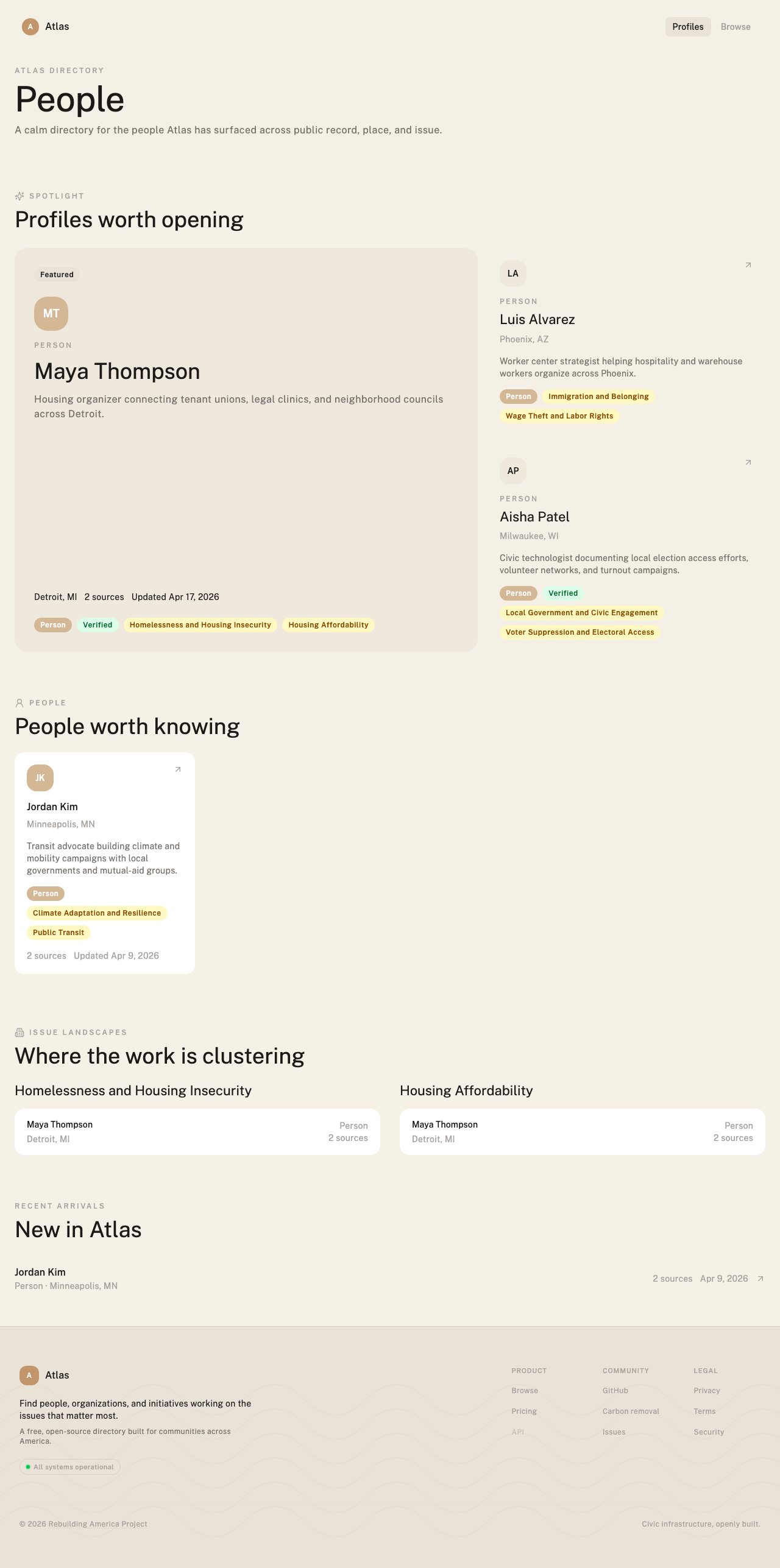
Atlas begins with a question such as "Who is working on housing in Detroit?"
or "Which organizations are doing transit advocacy in Nevada?"
Atlas searches local journalism, organization websites, nonprofit directories,
public records, campaign pages, reports, and other public material.
The discovery engine reads sources and looks for named people, organizations,
initiatives, campaigns, and events tied to the place and issue.
Each candidate record keeps the source title, publication, URL, date, source
type, and the source context that explains why the actor was extracted.
The same actor may appear in several sources. Atlas merges likely duplicates
and uses source density, recency, specificity, and contact surface to decide
how strongly to present the record.
Atlas should make thin, stale, partial, and uncorroborated areas visible. A
missing or weak result is a research signal, not something to hide.
## What counts as evidence
Atlas can use different kinds of public evidence:
| Source type | Example | What it can support |
| -------------------- | ------------------------------------------------------- | ----------------------------------------------------------------------------- |
| Local journalism | A feature on tenant organizing in Detroit. | Names, roles, issue areas, places, and current activity. |
| Organization website | A program page from a worker center. | Mission, services, geography, public contact surface, and active initiatives. |
| Public record | A city agenda, grant list, or public meeting record. | Participation, official status, dates, and jurisdiction. |
| Directory or roster | A coalition list, partner page, or nonprofit directory. | Existence, affiliation, geography, and contact surface. |
| Research or report | A civic landscape report or university paper. | Context, issue framing, named actors, and broader ecosystem signals. |
A source does not have to be a long article. A roster row, partner list,
contact block, table, or public record can be useful evidence when the context
is clear enough to show why the actor belongs in Atlas.
## How a profile becomes useful
A useful profile is not just a name. It should answer four questions:
1. **Who is this?** The profile should identify a person, organization,
initiative, campaign, or event.
2. **Where is the work happening?** The profile should connect the actor to a
place at the right level of specificity.
3. **What issue does it touch?** The profile should connect to one or more
issue areas without pretending the source proves more than it says.
4. **Why should I trust this?** The profile should expose the source evidence,
dates, and confidence signals behind the record.
 ## Why discovery runs report gaps
Atlas is useful when it shows what it found and what it did not find. A team
looking at Phoenix may have strong evidence for worker centers and immigrant
rights groups, but weak evidence for environmental justice or broadband access.
That gap matters because it tells the team where manual research, a new Scout
run, or a local partner conversation should happen next.
Gap reporting also protects the user experience. Atlas should not imply that a
place has no civic work on an issue just because one search pass did not find
enough public evidence.
## Ways to run discovery
| Method | Best for | Where to start |
| ------------------- | -------------------------------------------------------------------- | --------------------------------------------- |
| Public search | Looking up known public records and profiles. | [Browse Atlas](/docs/quickstart-browse) |
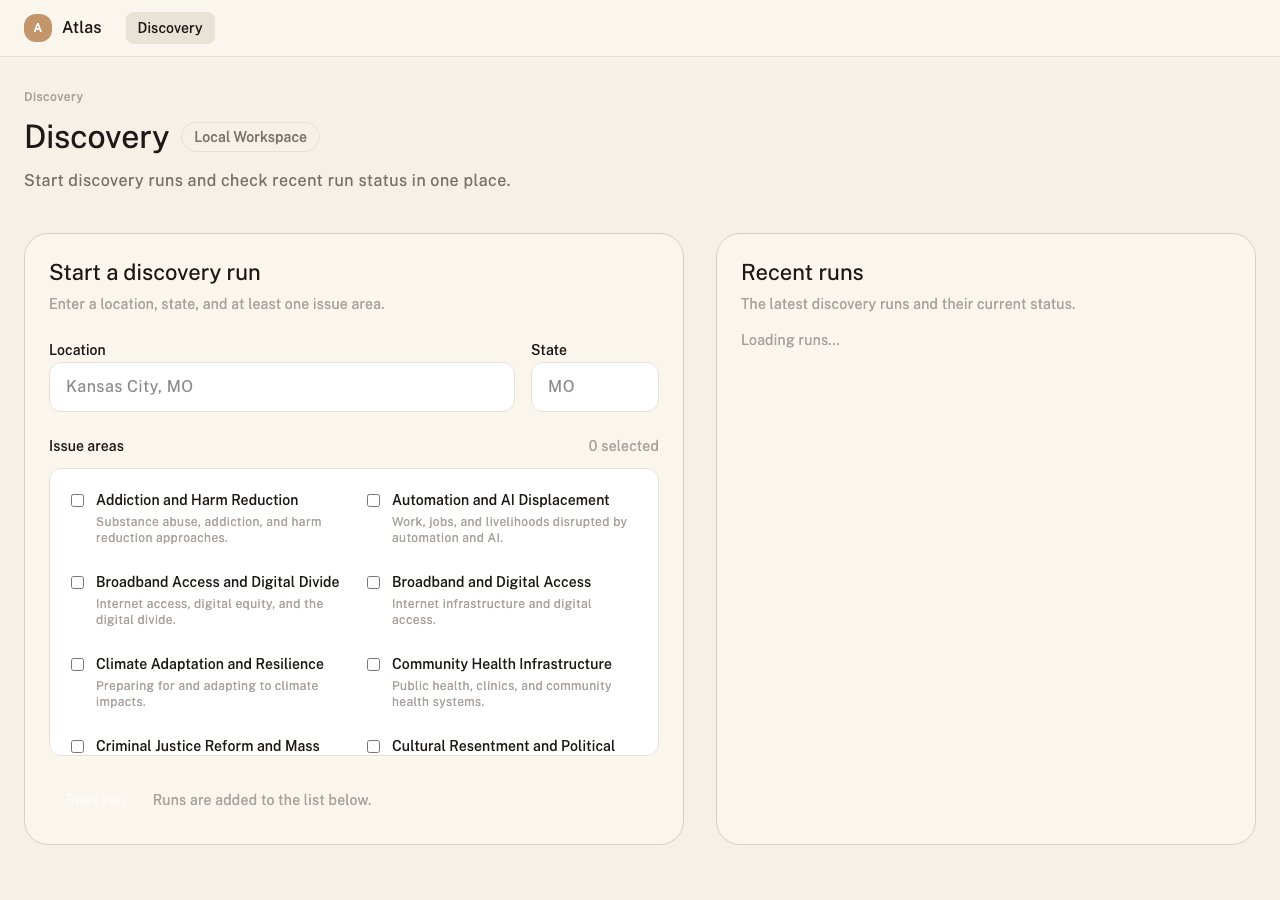
| Workspace discovery | Team research runs, saved actors, briefs, and coverage review. | [Team workflow](/docs/workspace/customer-workflow) |
| Scout | Local or scripted research before syncing selected results to Atlas. | [Scout CLI](/docs/scout/overview) |
| MCP | Conversational research through an AI assistant. | [MCP overview](/docs/mcp/overview) |
| REST API | Programmatic search, source review, and workflow automation. | [API guide](/docs/api) |
## Why discovery runs report gaps
Atlas is useful when it shows what it found and what it did not find. A team
looking at Phoenix may have strong evidence for worker centers and immigrant
rights groups, but weak evidence for environmental justice or broadband access.
That gap matters because it tells the team where manual research, a new Scout
run, or a local partner conversation should happen next.
Gap reporting also protects the user experience. Atlas should not imply that a
place has no civic work on an issue just because one search pass did not find
enough public evidence.
## Ways to run discovery
| Method | Best for | Where to start |
| ------------------- | -------------------------------------------------------------------- | --------------------------------------------- |
| Public search | Looking up known public records and profiles. | [Browse Atlas](/docs/quickstart-browse) |
| Workspace discovery | Team research runs, saved actors, briefs, and coverage review. | [Team workflow](/docs/workspace/customer-workflow) |
| Scout | Local or scripted research before syncing selected results to Atlas. | [Scout CLI](/docs/scout/overview) |
| MCP | Conversational research through an AI assistant. | [MCP overview](/docs/mcp/overview) |
| REST API | Programmatic search, source review, and workflow automation. | [API guide](/docs/api) |
 ## The trust boundary
Atlas organizes public evidence; it does not certify that every source is
complete, current, or correct. That is why source links, dates, extraction
context, correction paths, and confidence signals are part of the core product
experience.
Read [Trust and provenance](/docs/resources/trust) before using Atlas for decisions
that affect real people, outreach, publication, funding, or public claims.
## What's next
What Atlas knows, how it knows it, and how to interpret uncertainty.
Find housing organizers in Detroit and inspect the source evidence.
Build a source-linked briefing for a nonprofit entering Phoenix.
Run Scout locally, sync to Atlas, and open the workspace run.
## The trust boundary
Atlas organizes public evidence; it does not certify that every source is
complete, current, or correct. That is why source links, dates, extraction
context, correction paths, and confidence signals are part of the core product
experience.
Read [Trust and provenance](/docs/resources/trust) before using Atlas for decisions
that affect real people, outreach, publication, funding, or public claims.
## What's next
What Atlas knows, how it knows it, and how to interpret uncertainty.
Find housing organizers in Detroit and inspect the source evidence.
Build a source-linked briefing for a nonprofit entering Phoenix.
Run Scout locally, sync to Atlas, and open the workspace run.